
NOTE: Only IIS versions for Windows Server and Windows Vista support multiple websites as described below. If you are using Windows 98, Me, NT4 Workstation, Windows 2000 Professional, or Windows XP, please see the reference article below instead.
"Virtual hosting" means hosting multiple websites with different domain names on the same IP address.
This procedure is also described in Microsoft KB article Q190008
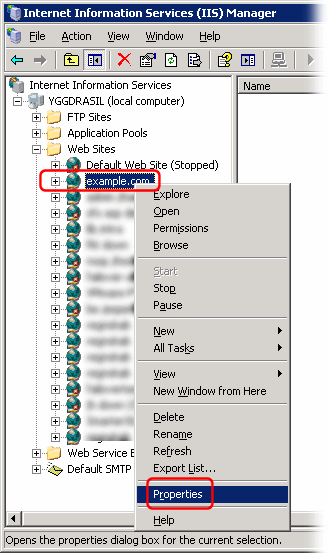
From the "Internet Information Services (IIS) Manager" window, right-click on a website and select "Properties":
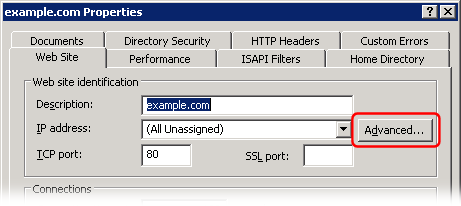
In the website Properties dialog, click the "Advanced..." button:
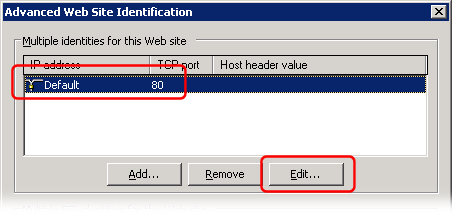
In the "Advanced Web Site Identification" dialog, select the first "identity" and click the "Edit" button:
Enter the website domain name in the "Host Header Name" field:
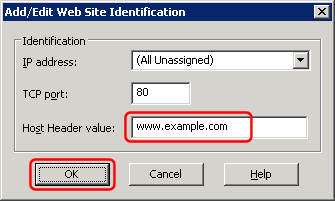
Click the OK button in all the dialogs to save your changes.
Create additional websites the same way.